

1. Social Accounts Overview
In the Skalven theme, social media links appear by default only on the cover area due to the theme’s structure. We support a total of 38 social media platforms. You can view the full list here.2. Configuring Social Accounts
Since Facebook and Twitter/X are natively supported in Ghost, you should configure these accounts through Settings > Social accounts. Setting up your additional social media accounts in the Skalven theme is very easy. Just follow the steps below:- Go to Settings and open the Navigation section.
- Switch to the Secondary navigation tab.
- Add the social media platform you want to use by writing its name with the @symbol in front (for example:
@facebook). - In the URL field next to it, enter your full social media profile link.
https://facebook.com/your-id - Save your changes.
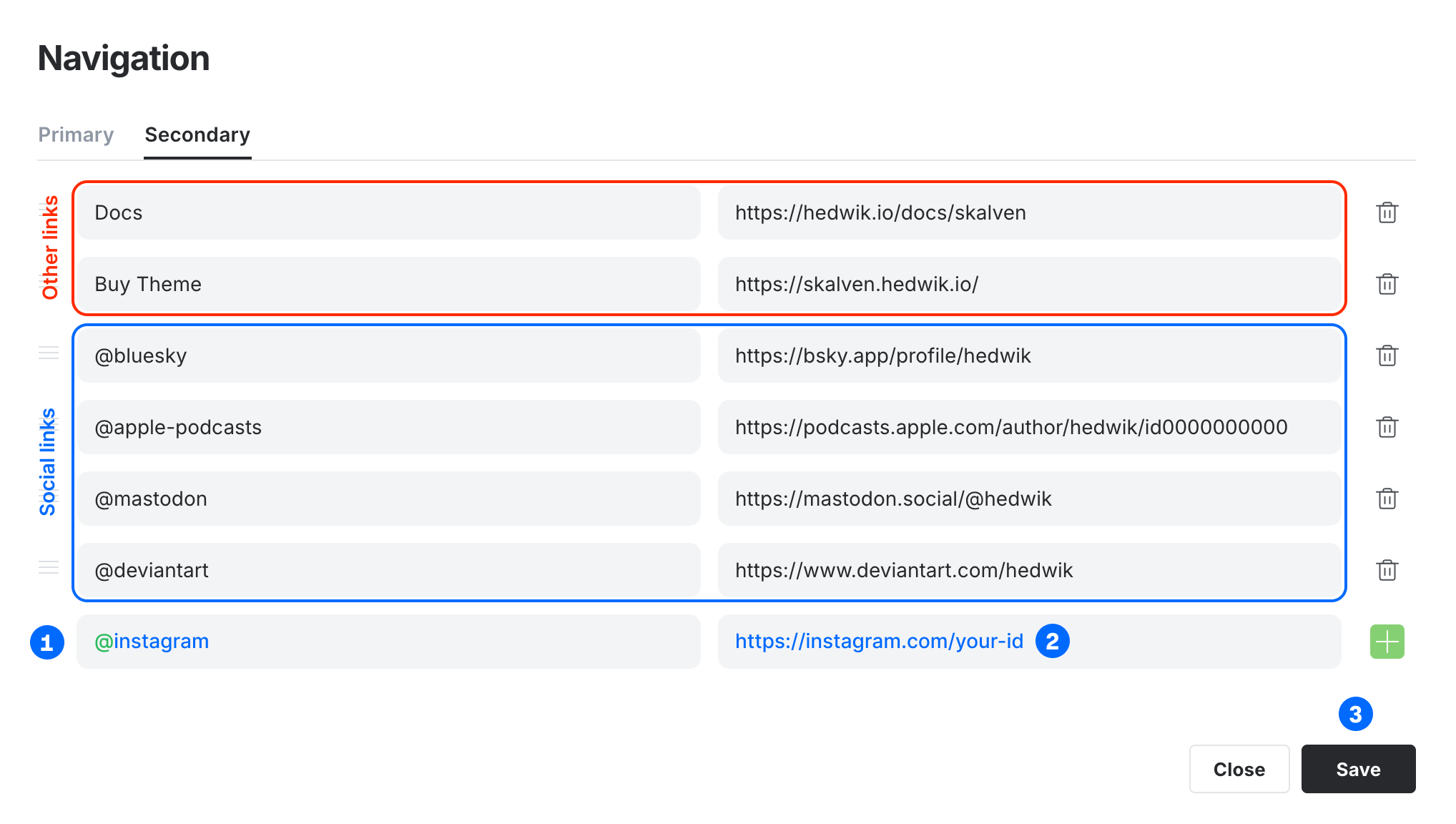
In the secondary navigation, any link that does not start with the @ symbol will appear in the footer links area located in the right sidebar.